Tuesday, July 31, 2018

15 Fashion Brands You Should Follow on Instagram for Marketing Inspiration

No other B2C industry has thrived on Instagram quite like the fashion industry.

Between their carefully curated photos, expertly targeted ads, and decisive adoption of Instagram Stories, fashion and beauty brands have become masters of consumer engagement on the visual content platform. And brands from any industry could learn a thing or two from these inspirational feeds. 

Download 25 free Instagram templates to increase engagement and elevate your presence. 

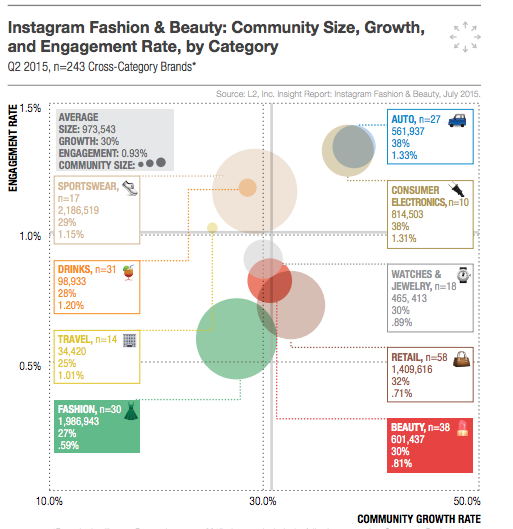
Back in 2015, business intelligence firm L2 found that fashion and beauty brands were growing their community size and engagement rates on Instagram at a rapid rate. 

Source: Digiday

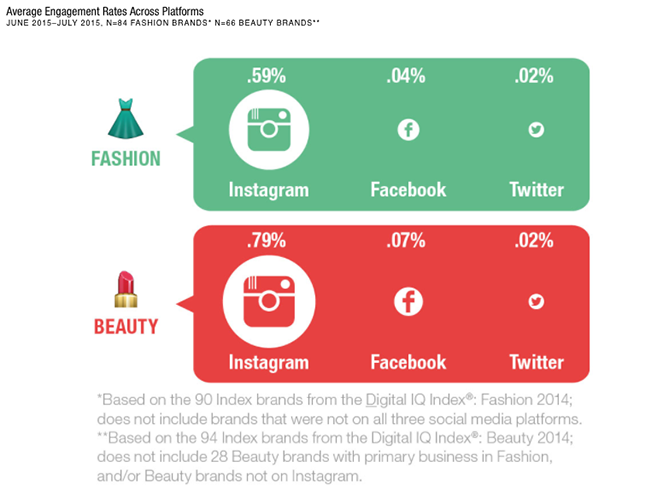
The L2 report also found that among fashion and beauty brands, Instagram had firmly become the social media platform of choice -- far outranking Facebook and Twitter.

Source: L2

Today, the industry's love affair with Instagram isn't showing any signs of slowing down. Digiday recently checked in with a number of fashion and beauty social media insiders at SXSW's Decoded Fashion and Create & Cultivate events, confirming that Instagram remains a top priority in their digital marketing strategies.

"Instagram is always a priority for us," Rosi Sanchez, a social media strategist at Fossil, told Digiday. "We have more reach and a larger new follower group there, so it leads to more conversions. Until we get to 1.5 million or 2 million followers, it’s going to be our number one priority."

Fossil isn't alone. Social media strategists from more established brands like L’Oréal USA, Shopbop, and Murad also indicated that Instagram was their top social media priority for the foreseeable future.

Brands from any industry looking to level up their visual storytelling chops should keep a close eye on fashion brands for inspiration. To help get you started, we've compiled a list of 15 fashion accounts -- both big and small -- who are crushing the Instagram game. Take a look below, and start planning your next big Instagram push. For a deeper dive on how to build a presence on Instagram, check out our complete guide to Instagram marketing

15 Fashion Brands to Follow on Instagram

1) Everlane @everlane

While Everlane's account has no shortage of beautiful product imagery, they also feature photos of their customers wearing Everlane clothes, inspiring travel photography, and tips on food and art destinations in different cities around the world. 



2) Nike @nike

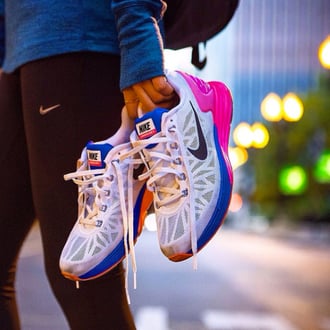
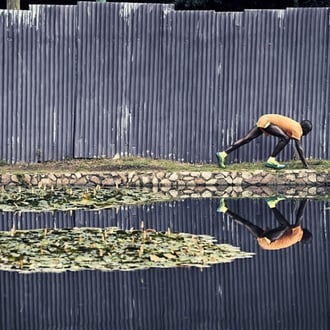
The behemoth athletic brand has enthusiastically embraced video content, and can be regularly found sharing clips with their impressive 7.1 million follows on Instagram. Their feed features a motivational mix of professional athletes and regular, everyday fitness enthusiasts. 



3) Teva @teva

Teva's Instagram feed is perfect proof that it's possible to give your brand a modern update without losing the spirit of what made you successful in the first place. Their feed includes customer-generated photos of their sandals out in the wild, as well as sleek product shots highlighting their new styles. 



4) Zara @zara

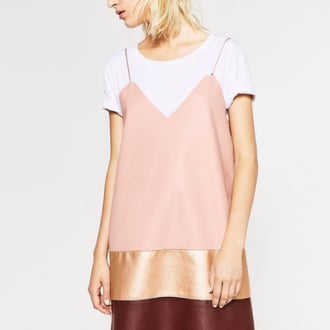
Zara has made a name for itself by emulating the marketing of more expensive, luxury brands, and their Instagram feed is no exception. Their account looks like a high-fashion magazine, with professional editorial shots of their men's and women's styles.




5) Fossil @fossil

If you like photos of neatly organized items, then Fossil's Instagram is definitely for you. The accessories brand curates an impressive feed of food, fashion, and celebrity influencers like Kristen Bell. 



6) Kate Spade @katespadeny

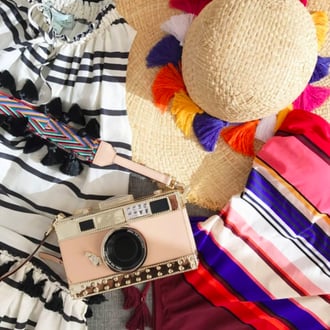
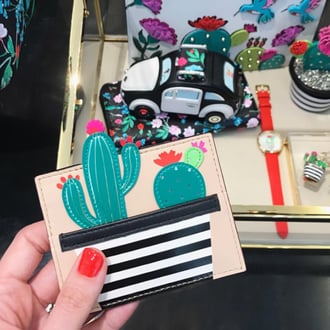
Despite being a well-established label, Kate Spade's Instagram has a distinct personal touch that sets it apart from similar brands. Their social media manager shares daily outfit pictures, snaps from around New York, and behind-the-scenes shots of the design process at the Kate Spade studio.



7) Fjällräven @fjallravenofficial

The Instagram feed for Swedish outdoor apparel brand Fjällräven is less about their products, and more about the adventurous spirit that has defined the company for almost 60 years. 



8) Madewell @madewell

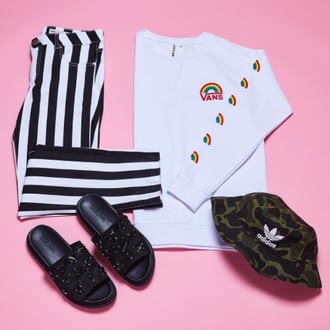
Apparel brand Madewell is known for their relaxed, classic styles, and their Instagram clearly reflects this aesthetic. With bright, sunny images of their latest products and collaborations with brands like Vans, their feed is a fashion lover's delight. 


9) The Row @therow

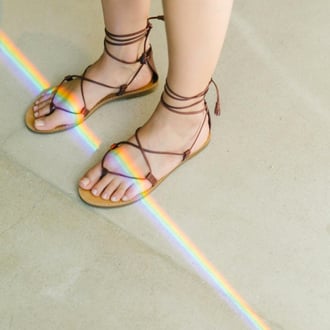
Another account that focuses less on their products and more on visual inspiration, The Row features vintage photos of art, architecture, and fashion -- only occasionally sharing images of their actual products. 



10) Asos @asos

British online fashion and beauty retailer Asos keeps their feed updated regularly with colorful and bold product images and editorial snaps from their latest campaigns. 


11) Aerie @aerie

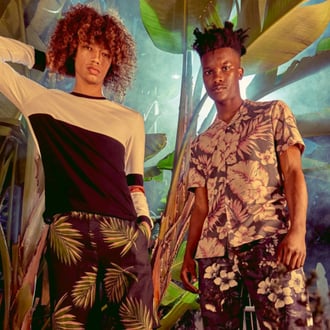
Scrolling through Aerie's Instagram feed is like taking a tropical beach getaway. The lingerie and bathing suit brand has been applauded for their commitment to unretouched photos in their print ads, and they continue the effort on their Instagram account by celebrating a diverse range of women and body-positive messages. 



12) Eileen Fisher @eileenfisherny

Eileen Fisher keeps the emphasis on their quality materials and environmentally friendly production processes Instagram presence. By featuring images of women from all walks of life, they prove that style is truly ageless. 



13) Anthropologie @anthropologie

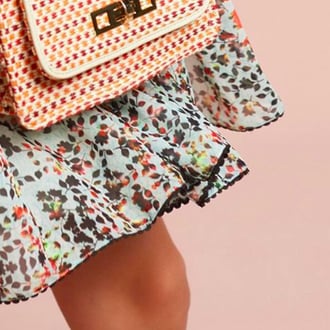
With colorful close-ups of their brightly patterned styles, Anthropologie's feed is a visual smorgasbord of inspiration. We especially love the travel shots featuring their clothes around the world. 



14) Girlfriend Collective @girlfriendcollective

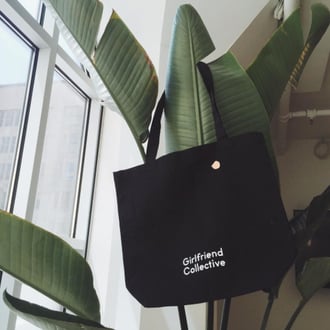
This leggings startup has yet to even officially launch a full collection of clothing, but they already boast an impressive 60.2k followers on Instagram. Thanks to a free leggings promotion they advertised earlier this year on Instagram and Facebook, the brand has enjoyed explosive social media growth. Their feed keeps customers engaged with stunning product photography of their minimal styles, and screencaps from inspirational movies.



15) J.Crew @jcrew

J.Crew has mastered the art of follower engagement on Instagram. With daily-updated Stories and regular contests to select new styles for clothes and accessories, their vibrant feed keeps customers inspired and interested.




Instagram Templates

How to Submit Your Website to Google (And Why It Matters)

So, you've developed an amazing site. You've put together some seriously valuable content, iterated on the design, and gathered a ton of feedback. Now, you're finally feeling ready to share it with the world.

And as soon as you publish your new site for the world to see, all of your content will immediately start showing up in Google, right?

Well, maybe. It takes a little more than just hitting the publish button. To get your site listed on search results, Google needs to "crawl" and "index" your content. This happens automatically over periods of days or weeks, but if you're a site owner, you can manually submit your site to Google and accelerate this process.

There are two ways to do this. But first, let's briefly explore how Google crawls and indexes your website content.

New Interactive SEO Training: Learn how HubSpot uses SEO to rank #1 in Google >>

How Google Finds Your Content

Google, in its own words, uses a huge set of computers to crawl billions of pages on the web. This crawler, called the Googlebot, essentially begins with a list of web page URLs generated from previous crawls and then augments those pages with sitemap data provided within Google Search Console. During the crawling process, the Googlebot -- also known as a "spider" -- looks for new sites, updates to existing pages, and any broken links.

If new pages are within your sitemap, Google will discover them and crawl the content and then potentially list the page within search results based on its evaluation of 200+ criteria.

Once the crawling process is complete, all of the results are fed into Google's index, and any new sites or updated content will be listed accordingly. During the processing of results, Google looks at information on your page such as title tags, meta description, alt tags, and more. If you have dynamic content on a page, the Googlebot may not be able to read it and will crawl the default version -- it's recommended that your default version is optimized for search.

As a result of Google's crawling, you may never need to submit your website as it will be discovered automatically. The downside to this approach has always been that it's reliant on Google's timeframe to crawl and index your site content, which may not happen as quickly as you would like.

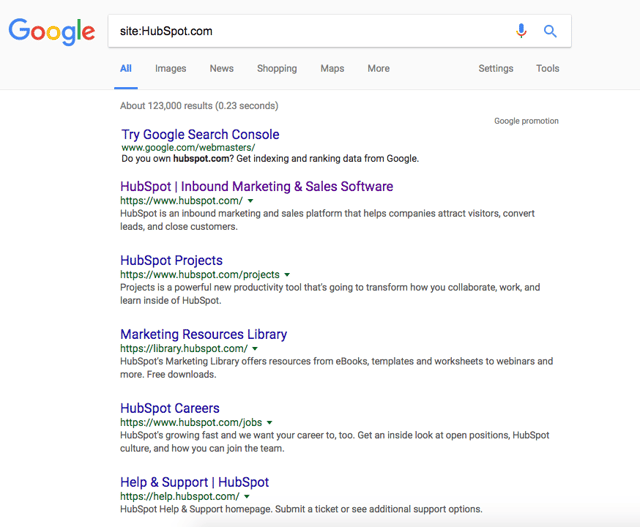
Want to check if a particular site is listed in Google? Just begin your search with "Site:Sitename.com." For example, here's what is displayed in Google for HubSpot.com:

Google site search for HubSpot.com using the format site:HubSpot.com

If no content is indexed yet for a site, Google will let you know that your search did not match any results.

If no content is found, your next step should be to create a sitemap that can be submitted to Google.

If you want more information about how to create a sitemap, take a look at this post.

(HubSpot customers: Your sitemap is automatically generated and maintained. Simply go to yourdomain.com/sitemap.xml to see it.)

How Long Does It Take for Google to Index Content?

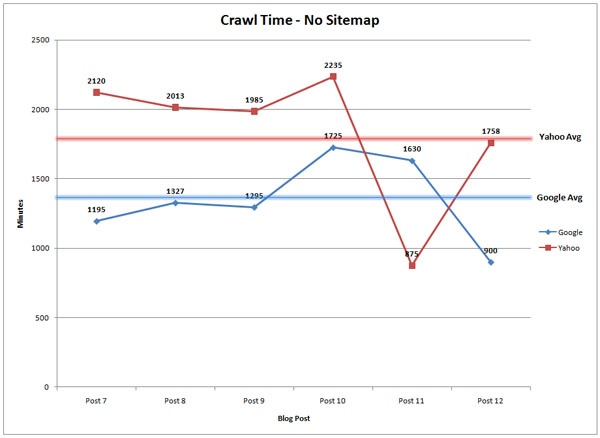
My former colleague Casey Henry wondered this very question and ran a test to see how long it took Yahoo! and Google to crawl and index content. The results? Well, they were staggering.

When publishing content without manually submitting an updated sitemap, Henry found that it took Google 1,375 minutes to crawl, while Yahoo took 1,773 minutes. To put those numbers into perspective, that's roughly a full-day just to crawl your content.

crawl-time-no-sitemap.jpg

Source: Moz

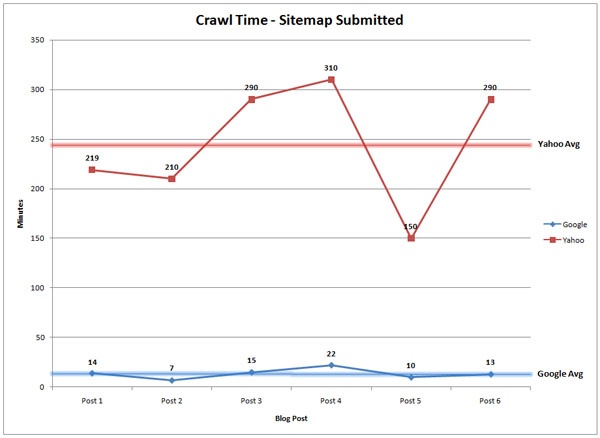
On the other hand, if you're launching a new website, or adding a number of new pages to an existing domain, it may be worth submitting an updated sitemap. According to the same study, Henry found that after submitting an updated sitemap, the average time it took for a bot to visit the page was 14 minutes, compared to Yahoo!'s 245 minutes. In other words, your new page can start generating organic traffic and conversions on the same day.

crawl-time-with-sitemap.jpg

Source: Moz

How Do I Submit My Site to Google?

To submit your website to Google, you can either add an updated sitemap to your Google account, or submit an indexing request for the desired URL through Fetch as Google. Both processes require site owners to register with Google Search Console.

Here are the specifics of each option:

If you have a brand new site ...

If you're launching a website for the first time, you should first verify you own the site within Google Search Console. Then, submit it here -- select the "submit a sitemap" option once you land on this page.

If you have an existing site and are launching new pages ...

With a web domain already launched, you can still submit new pages for Google to index and rank them accordingly. Anyone used to be able to do this with a page they wanted crawled, whether they owned the page or not. Now, just as you would when launching a brand new website, you must be the URL's owner to ask Google to re-crawl it.

If you own a webpage you'd like Google to re-crawl, you can do a few different things:

Submit an Updated Sitemap

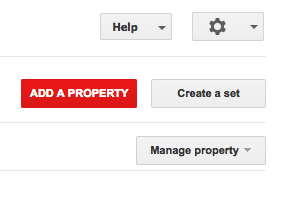
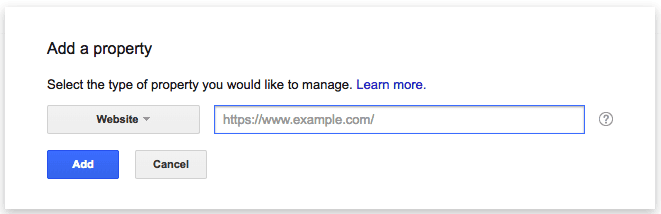
First, you can submit an updated sitemap to ensure it gets listed as quickly as possible. To submit an updated sitemap, log in to Google Search Console and select "Add a Property."

Red add a property button in Google Search Console

Once you're there, you can submit your updated sitemap for Google so it can begin crawling it as soon as possible.

Empty field for adding a sitemap to Google Search Console to crawl a new website

Fetch as Google

Fetch as Google allows you to view webpages on your site as Google sees them. As a site owner, you can also use this tool to reindex individual URLs once you've fetched them. To do this, log into Google Search Console and select the property you have currently listed with Google.

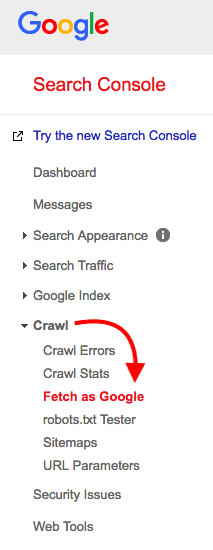
Along the lefthand sidebar, select Crawl > Fetch as Google, as shown below:

fetch-as-google

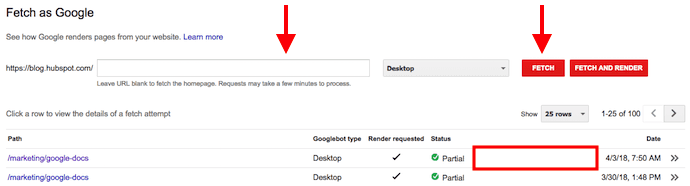
This will pull up a table where you can enter a URL path following your domain name, and "Fetch" this particular webpage on your website. See what this looks like below:

Fetch as Google table in Google Search Console with previous website fetch requests

As you can see above, two sample Fetch requests have been listed below the Fetch bar. The status of these fetches is "Partial," but once these fetches are complete, Google will assess their eligibility for reindexing. If the URL you've fetched qualifies, you'll see a "Request Indexing" option appear where the red box is in screenshot above. Select this option, and Google will begin the process of re-crawling and reindexing this webpage.

As stated earlier in this article, indexing requests can take anywhere from a day to a couple of weeks to complete. So, check your Fetch as Google table periodically to see the status of your active indexing requests.

Based on the above instructions, you may be wondering if you need to submit an updated sitemap or indexing request every time you publish a new page. If you're updating critically important content that you'd like Google to recognize quickly, you certainly could do so. But keep in mind Google also re-crawls pages on its own, and it's ok to let this process work in the background as you regularly create and update your content.

seo myths 2018